
home / Best Course Platforms /Kajabi Review
We earn a commission from partner links on this site. This doesn’t affect our opinions or evaluations.
Thinkific delivers a robust course-creation platform equipped with numerous capabilities to jumpstart and maintain your educational business. Yet, it lacks integrated functionality for tax collection and administration, two essential components of operating any successful venture.
To stay compliant with tax regulations, you’ll need to implement a dedicated solution for tax management, and numerous course creators employ Quaderno to handle EU VAT (value-added tax) and various sales taxes for their Thinkific educational offerings.
But how exactly do these platforms integrate with each other? What procedures must you follow to establish the connection between Quaderno and Thinkific?
To address these inquiries, we’ve developed this comprehensive guide explaining how Quaderno can support your tax administration needs and detailing the process of linking these two platforms together.
Let’s begin!
For course creators, maintaining tax compliance often presents significant challenges.
First, you must navigate multiple sales tax systems. For example, distinct sales taxes exist across the European Union, India, Australia, and beyond. Furthermore, within certain countries (such as the United States), tax percentages vary between individual states or provinces.
Second, every nation enforces unique guidelines and stipulations regarding who must collect sales taxes and at which rates. As an illustration, numerous US states only require tax collection when your yearly revenue surpasses $100,000.
Ideally, managing all tax-related responsibilities within Thinkific would simplify operations. However, since this platform doesn’t offer these capabilities, implementing a third-party solution like Quaderno becomes necessary.
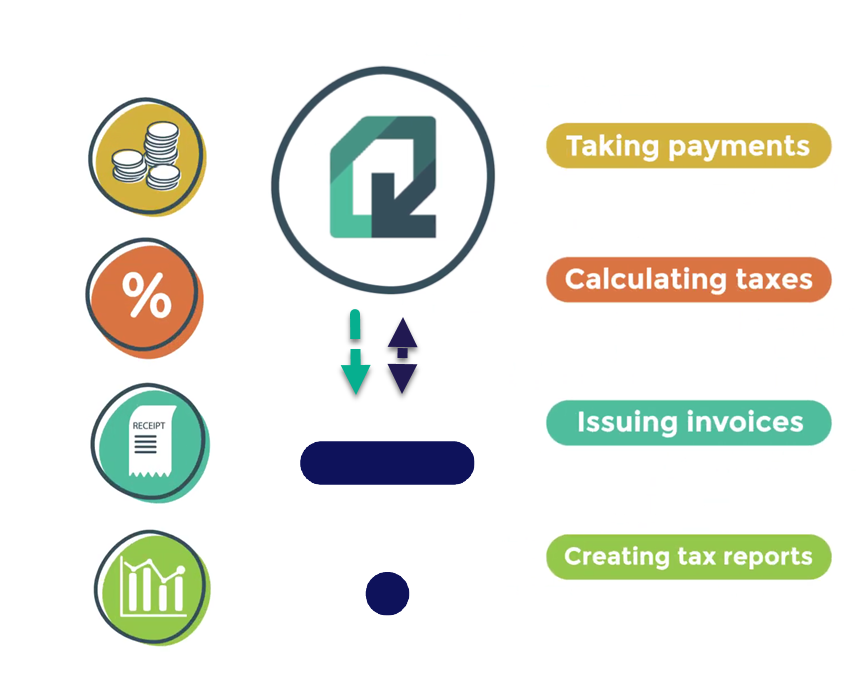
Quaderno enhances your tax compliance through multiple valuable functions:
Before proceeding further, we must clarify that this guide aims not to provide tax consultation but rather to demonstrate the integration process between Quaderno and Thinkific for effective tax management.
For additional insights regarding sales taxes for online courses, we suggest reviewing Quaderno’s comprehensive guide on this subject. You might also benefit from consulting your professional advisor.
Now, let’s examine the different approaches for integrating Quaderno with Thinkific.
The initial option involves utilizing Quaderno for tax reporting while maintaining Thinkific’s native checkout functionality.
Under this arrangement, your course prices will incorporate sales tax. This means students visiting the checkout page will observe only the total amount payable, which remains identical for all students.
Subsequently, you’ll need to extract the sales tax component from your revenue, and Quaderno facilitates this process effectively. It will track your students’ geographical locations and compute the appropriate tax based on their residency. Furthermore, it will issue tax-compliant invoices and compile tax reports for your convenience.
Now, let’s review the necessary steps to establish the connection between Quaderno and Thinkific.
Your first task involves creating an account on Quaderno through their free trial offering.
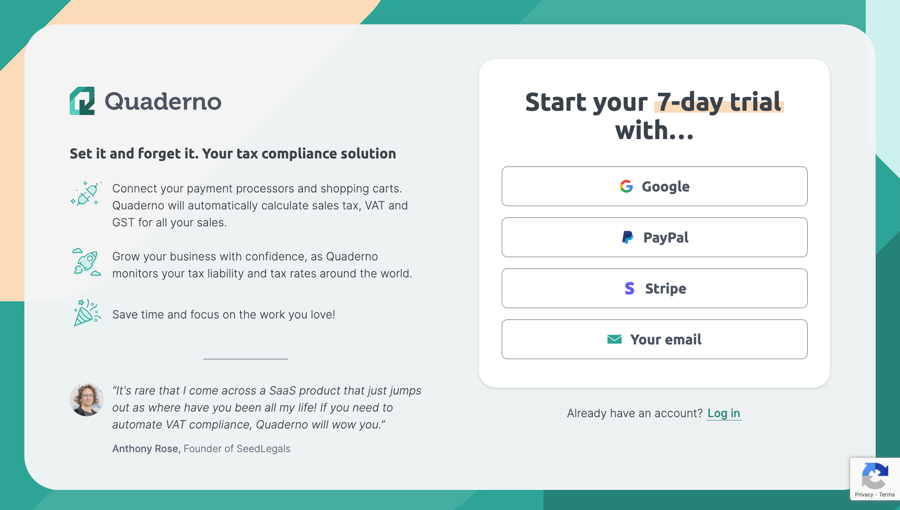
After establishing your Quaderno account, navigate to your dashboard and locate the Integrations option within the left-side navigation menu.
Based on your preferred payment processing service, select either Stripe or PayPal from the options displayed on the right portion of your screen. For this integration to function properly, ensure you connect the identical Stripe or PayPal account that you’ve previously linked with your Thinkific platform.
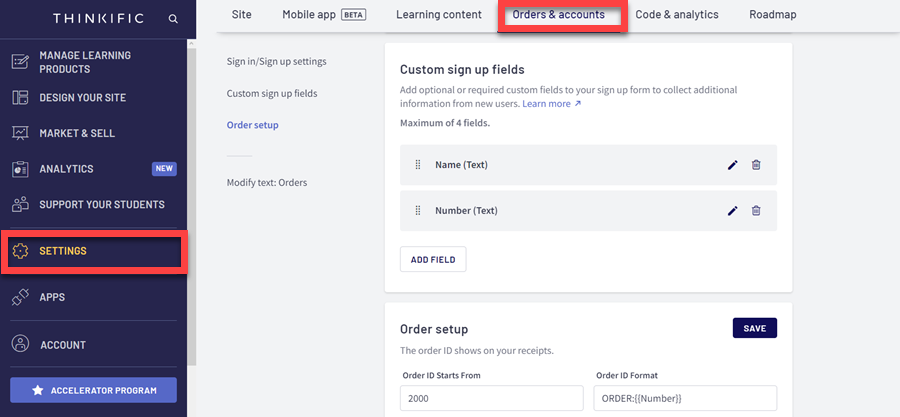
Navigate down to the Custom Sign Up Fields section, where you’ll need to configure additional data fields.
To supply Quaderno with essential information, create the following fields ensuring they match these exact naming conventions:
Depending on your specific needs, you might consider gathering supplementary information, such as tax identification numbers and complete billing addresses.
That completes the basic setup! Quaderno will now automatically receive this information through your Stripe/PayPal connection. The system will then utilize this data to determine appropriate tax amounts and generate detailed invoices showing both the base price and applicable tax components.
Be aware that this method has one significant constraint – you cannot add taxes separately to your course pricing, which necessitates covering tax obligations from your existing revenue stream.
An alternative approach for integrating Quaderno with Thinkific involves shifting your entire checkout process to Quaderno. This eliminates the need to first charge customers and subsequently deduct tax amounts from your earnings. Your checkout interface will clearly display both the base pricing and applicable sales taxes.
With this configuration, your sales pages remain hosted on Thinkific, while the checkout transaction occurs through Quaderno. You’ll implement Zapier to facilitate automatic student enrollment in Thinkific courses following successful payment completion.
To begin this implementation, access your Quaderno dashboard and select the Checkout tab from the left navigation menu. Then proceed to Links and select Create Link.
This action opens a configuration page where you can add your course or other product offerings, select preferred payment methods, determine whether to collect billing details or offer coupon capabilities, and customize numerous additional options.
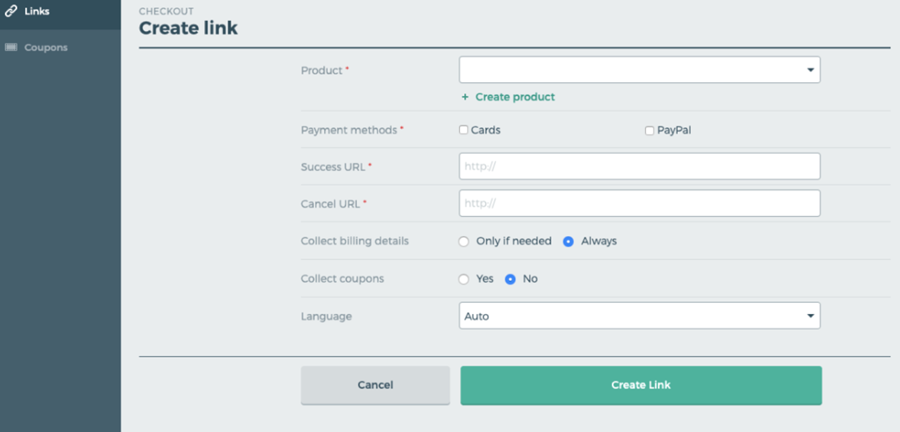
After finalizing your settings, select Create Link and save the generated URL.
Your subsequent task involves accessing your Thinkific dashboard. From there, navigate to the Manage Learning Products section, choose Courses and select the specific course where you wish to implement the checkout link.
Next, locate and click the Build Landing Page button positioned in the upper-right corner of your screen to launch Thinkific’s intuitive site builder interface.
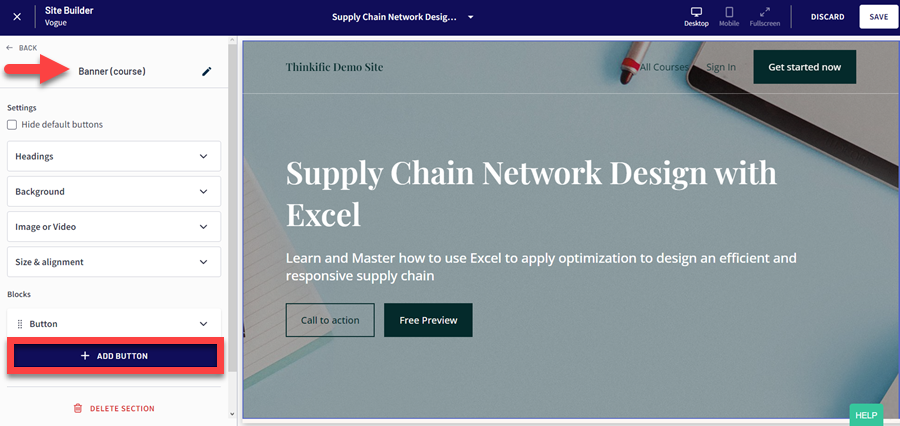
This action launches a new interface where you can incorporate your course details, determine payment processing methods, choose whether to gather billing information or implement coupon functionality, along with numerous other customization options.
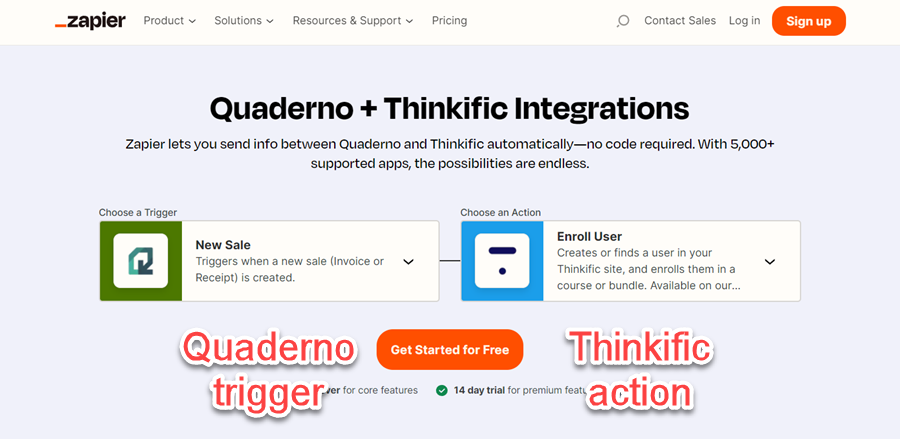
The final step involves establishing a Zapier workflow to automatically register students in your course after they complete a purchase through the Quaderno checkout system. In this automation, your trigger event will be New Sale in Quaderno, while your corresponding action will be Enroll User in Thinkific.
The setup will allow you to specifically designate which Quaderno products correspond to which Thinkific courses.
Automating student enrollment with Zapier
Remember, you’ll need an active subscription to the Grow plan in Thinkific to enable automated enrollment through the Zapier integration.
We’ve examined two approaches for managing your taxation requirements through Quaderno. However, if your intention is to utilize this platform exclusively for tax computation and documentation, the expense might seem somewhat steep. Furthermore, Quaderno’s checkout capabilities don’t quite match those offered by dedicated e-commerce platforms.
Consequently, you might benefit from investigating additional options.
For those seeking a comprehensive shopping cart solution, consider using Shopify with Thinkific. Shopify seamlessly connects with Thinkific and provides robust tax management functions.
Alternatively, you might implement a checkout page builder such as SamCart with Thinkific. This platform delivers powerful checkout and conversion features, including comprehensive tax handling support.
If your financial resources don’t currently allow investment in these solutions, manual tax calculation remains a viable approach.
To accomplish this, export your sales data from Thinkific and perform manual tax calculations using spreadsheet software. If your Thinkific subscription includes Zapier access, you can even streamline portions of this process.
However, it’s crucial to recognize that manual tax calculations via spreadsheets will demand additional time and effort from you, and you should carefully evaluate this time investment against potential financial savings before selecting this approach.
The Quaderno-Thinkific integration enables straightforward tax management while utilizing the premier course platform for creating and marketing your online educational content.
You can employ Quaderno simply for tax calculations and report generation. Alternatively, you might transition your payment processing to Quaderno checkout to collect taxes beyond your base product pricing.
Regardless of which method you choose, connecting these two platforms represents a significant step toward achieving proper tax compliance.
Experience Quaderno at no cost to begin improving tax management for your educational business. Initiate a free trial by selecting the button below.
If you’re not using Thinkific yet, you can get a free trial for Thinkific as well.
We hope you found this article useful! Do you collect taxes? How are you handling taxes for your courses? Let us know in the comments section.
Thinkific doesn’t have any native features for handling taxes. So, you’ll need to rely on third-party integrations, such as Quaderno and InvoiceBus, to manage taxes. Alternatively, you can use Shopify and SamCart to handle checkouts as well as taxes.
You can easily integrate Quaderno with Thinkific by connecting the same Stripe or PayPal account you use for your course payments with Quaderno. Then, add custom fields in Thinkific to pass the necessary data to Quaderno.Another way to integrate these two platforms is to use Quaderno’s checkout. In this case, you need to generate a checkout link in Quaderno and paste it to your sales page in Thinkific.
Quaderno utilizes the transaction data gathered from your sales platform to operate. It analyzes this data to calculate taxes, send tax invoices, and generate tax reports. It also has a checkout feature that allows you to process payments and collect taxes on top of your product pricing.

Kaydence Tranter serves as the senior content writer at sellingonlinecoursesguide.com, where she crafts authoritative content that helps course creators build and scale their online education businesses. Her writing expertise helps transform complex course creation and marketing concepts into clear, actionable guidance for the platform's audience.
Kaydence Tranter serves as the senior content writer at sellingonlinecoursesguide.com, where she crafts authoritative content that helps course creators build and scale their online education businesses. Her writing expertise helps transform complex course creation and marketing concepts into clear, actionable guidance for the platform’s audience.

We respect your privacy and will never spam you.